An attendance sheet records who was present, who wasn’t, and when. Teachers use one as a class register, employers as a daily or monthly staff record, trainers as a signed roll for compliance, and clubs and congregations as a weekly check. The free templates below are editable Word and Excel files, and beneath them you’ll find the marking codes that make a register readable, a worked monthly grid, and the reason a training sign-in sheet needs a signature rather than a tick.
Marking Codes
A register only works if everyone filling it in uses the same marks. A single letter per cell keeps a month on one page and makes the totals countable at a glance. The common set:
- P — Present
- A — Absent (unexplained)
- L — Late
- E — Excused or authorized absence
- S — Sick
- H — Holiday or approved leave
- PH — Public holiday · W — Weekend or non-working day
Print the key on the sheet itself. Registers get filled in by whoever is covering that day, and a key at the foot of the page is what stops one person’s “L” meaning late and another’s meaning leave. Schools often work to a code set prescribed by their education authority — if yours does, use theirs rather than these.
A Monthly Attendance Register
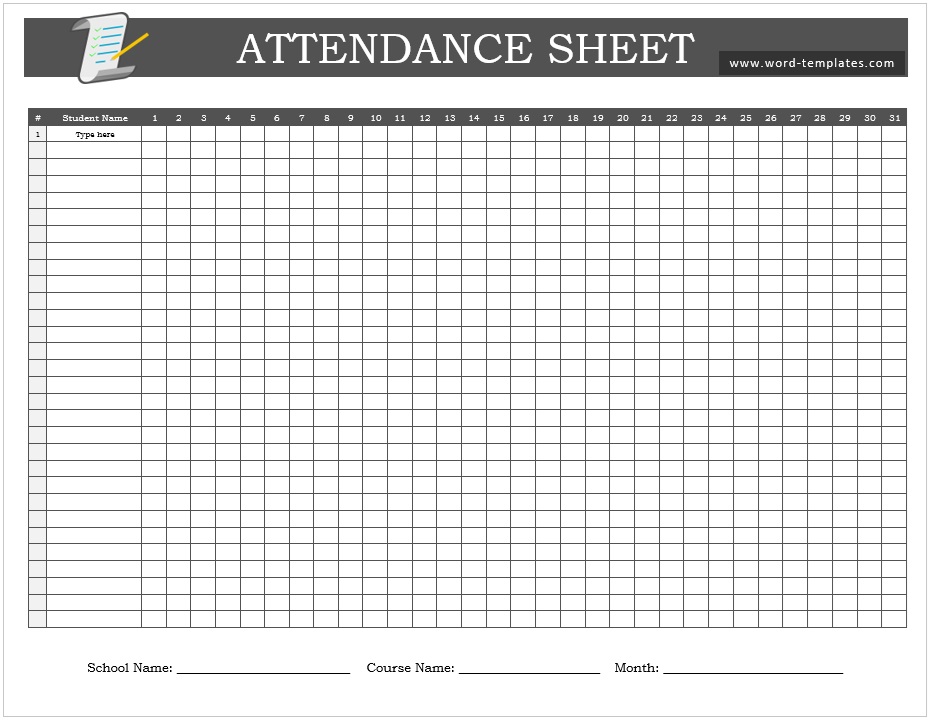
The layout most people are looking for: names down the side, days across the top, one code per cell, totals on the right.
| MONTHLY ATTENDANCE REGISTER | September 2026 | Class 9B | Teacher: Ms A. Bello | ||||||||||||||
| Name | 1 | 2 | 3 | 4 | 7 | 8 | 9 | 10 | 11 | … | P | A | L | % |
|---|---|---|---|---|---|---|---|---|---|---|---|---|---|---|
| Ahmed, Bilal | P | P | P | L | P | P | P | P | P | … | 20 | 0 | 2 | 100 |
| Chen, Mei | P | S | S | P | P | P | P | P | P | … | 18 | 2 | 0 | 90 |
| Okafor, Tunde | P | P | A | A | E | P | P | L | P | … | 16 | 3 | 1 | 80 |
| Key: P present · A absent · L late · E excused · S sick · H leave | Weekends and public holidays shaded. | ||||||||||||||
Two things make a grid like this worth keeping. The totals on the right turn twenty days of ticks into a number someone can act on — a pattern of Monday absences shows up in a column of codes long before anyone would notice it day to day. And the key printed on the sheet means a substitute teacher or a stand-in supervisor marks it the same way you would.
Free Attendance Sheet Templates in Word and Excel
Each template below is editable — add your class, team, or group names once, then print or copy the sheet for each period.
Monthly Attendance Register

Names down the side, days across the top, with totals and a percentage column at the right — the layout shown above.

Daily Attendance Sheet Template
A single-day sheet with columns for present, absent, and leave, plus a notes column — for classes and teams that record one day per page.
Daily Attendance Sheet Template
Check out our latest created Daily Attendance Sheet Template helps you to track the daily presents, absent, and leaves of your students. This template is amazingly designed in MS Word format with an elegant color scheme and responsive tables. Further, you can customize its layout and title according to your meets or requirements. So feel free to download this perfect Daily Attendance Sheet Template.

Click on the below download button and grab this Attendance Sheet Template for free.
Sign-In Sheets for Training and Meetings
An attendance sheet for a training session, induction, or meeting is a different document, and the difference is the signature.
A register marked by a teacher or supervisor records their account of who was there. A sign-in sheet carries each attendee’s own printed name and signature, which is what turns it into evidence. That matters whenever attendance has to be proved to someone else: continuing professional development records, funded training claims, health and safety inductions, regulatory compliance, and — in the case of a site induction — showing that a particular worker received a particular briefing on a particular day.
A usable sign-in sheet has: the session title, date, time and location, the trainer or chair’s name, then a row per attendee with printed name, organization or department, signature, and — for longer sessions — time in and time out. Keep it as the original; a photograph of a signed sheet is worth having, but the paper is the record.
For meetings, the signed sheet also does a second job: it settles later questions about who was present when a decision was taken, which is why it pairs naturally with your meeting minutes.
Totaling Attendance in Excel
If you keep the register in Excel, the totals should calculate themselves. With names in column A and the month’s days across columns B to V, a single formula per row does it:
=COUNTIF(B2:V2,”P”) ? days present
=COUNTIF(B2:V2,”A”) ? days absent
=COUNTIF(B2:V2,”L”) ? times late
For an attendance percentage, divide days present by the number of sessions held rather than by the days in the month — a count of the marked cells gives you that: =COUNTA(B2:V2). Then fill the formulas down the column once and the register totals itself for every person, every month, with no arithmetic.
Keeping Attendance Records Properly
- Mark it at the time, not afterwards. A register completed from memory at the end of the week is a guess, and it’s the one that gets challenged.
- Don’t record reasons for sickness on a shared sheet. Use the code and keep any detail elsewhere. A register is often visible to a whole class or team, and someone’s medical information doesn’t belong on it — in many jurisdictions that’s a data protection matter as well as a courtesy.
- Keep completed registers. Employee attendance records frequently carry statutory retention periods, and training records may need producing for audits or inspections years later. Check the rule that applies to you rather than assuming.
- Store them where the right people can see them and others can’t. Attendance data is personal data — a register left on a counter is a small but real problem.
- Watch the patterns, not just the totals. Repeated absence on particular days, or lateness clustering in one week, is information a monthly grid surfaces and a daily sheet hides.
- Reconcile against other records where attendance drives pay — the register and the timesheet should agree, and where they don’t, find out why before payroll runs.
Frequently Asked Questions
What is an attendance sheet?
A record of who was present and absent over a given period — a class register, a staff attendance record, or a signed roll for a training session or meeting. It typically lists names against dates, with codes marking presence, absence, lateness, and leave.
What are the standard attendance marking codes?
Commonly P for present, A for absent, L for late, E for excused, S for sick, and H for holiday or approved leave. Print the key on the sheet so anyone filling it in uses the same marks. Schools working to an education authority’s prescribed codes should use those instead.
What should an attendance sheet include?
The group or class name, the period covered, the person responsible, a list of names, a column per date, a marking key, and totals. Sign-in sheets for training add a signature column and the session details.
How do I total attendance in Excel?
Use COUNTIF across each person’s row — =COUNTIF(B2:V2,"P") counts days present, and the same formula with “A” or “L” counts absences and lateness. Fill it down the column once and every row totals automatically.
What is the difference between an attendance sheet and a sign-in sheet?
An attendance sheet is marked by the person running the session; a sign-in sheet is signed by the attendees themselves. Where attendance has to be proved — CPD, funded training, safety inductions, compliance — the signature is what makes the record evidence.
How long should attendance records be kept?
It depends on the purpose and jurisdiction. Employee attendance records often carry statutory retention periods, and training and safety records may be required for audits long afterwards. Check the rule that applies to your sector, and keep completed registers rather than discarding them at year end.
Can I use an attendance sheet to record meeting attendance?
Yes, and a signed sign-in sheet is the better form for it — it settles later questions about who was present when a decision was taken. Record the discussion itself in the minutes, not on the attendance sheet.

Pete Smith is a Business Management graduate and a passionate advocate for practical, accessible resources that empower professionals and entrepreneurs to succeed. With a strong foundation in organizational strategy and operational efficiency, Pete combines academic knowledge with real-world insights to simplify complex business processes. He is the creator behind a growing online platform dedicated to offering free, high-quality documents, templates, and actionable tips designed to save time and improve productivity.