A report template is a pre-built document layout that provides a ready-made structure for any type of report—whether it’s a business report, project status report, financial statement, or academic paper. The template includes standard sections such as a title page, executive summary, objectives, methodology, data tables or charts, findings, recommendations, and an appendix, all styled with consistent headings, fonts, and spacing. Because the file is typically created in Microsoft Word, Excel, Google Docs, or Google Sheets, you can instantly replace placeholder text, insert your own data, and adjust colors or logos to match your brand. This makes the report customizable, printable, and easy to export as a PDF or share as a live online document. In short, a report template is a reusable, editable framework that saves time, ensures formatting accuracy, and helps you produce professional-looking reports with minimal effort.
Why Use Report Templates?
Increased efficiency is the most immediate advantage of adopting a ready-made report template. Because the fundamental layout—title page, executive summary, methodology, analysis, conclusions and appendix—is already defined, writers can bypass the labor-intensive task of building a document from scratch. This eliminates repetitive formatting work, allowing teams to focus on gathering and interpreting data rather than adjusting margins, fonts or heading styles. When deadlines are tight, the time saved by simply inserting new figures into pre-configured tables or charts can be the difference between meeting a client’s expectations and missing a critical delivery window.
Consistent branding and professional appearance are another compelling reason to standardize reports with a template. Every organization has a visual identity, including logo placement, color palette, typography and tone of voice. A well-crafted template embeds these brand elements directly into the master file, guaranteeing that each iteration of a quarterly business report, a financial forecast, or an academic research paper reflects the same polished look. This uniformity not only reinforces credibility with stakeholders but also reduces the risk of inadvertently using outdated logos or incorrect font sizes that can erode trust.
Simplified collaboration and version control become natural by-products of a shared template ecosystem. When multiple contributors open the same Word, Excel, Google Docs or Google Sheets file, the underlying structure remains unchanged, so comments, suggestions and data updates are applied to a single, consistent framework. This prevents the proliferation of divergent formats across a department and makes it easier for project managers to track revisions, approve content and archive final versions for future reference.
Enhanced data presentation and accuracy arise because templates often include pre-built charts, conditional formatting rules and formula-driven tables. These automation features automatically recalculate totals, highlight outliers and align data visualizations with best-practice design principles, reducing manual entry errors and ensuring that every report conveys insights in a clear, digestible manner.
Compliance and audit readiness are further benefits that organizations overlook. Many regulated industries require reports to contain specific sections—risk assessments, control matrices, sign-off fields or audit trails. Embedding these mandatory elements into a template guarantees that each submitted document meets statutory requirements without the need for a separate compliance checklist each time. In sum, using report templates transforms the reporting process from a repetitive, error-prone chore into a streamlined, brand-consistent, collaborative and compliant workflow that delivers high-quality information faster and more reliably.
Popular Types of Printable Certificate Templates
Here is our collection of free Certificate Designs ready to edit and print as per your comfort.

Financial Report Templates
Total Certificates: 03 Reports

Summary Report templates
Total Certificates: 08 Reports

Status Report Templates
Total Certificates: 09 Reports

Annual Report Templates
Total Certificates: 04 Reports
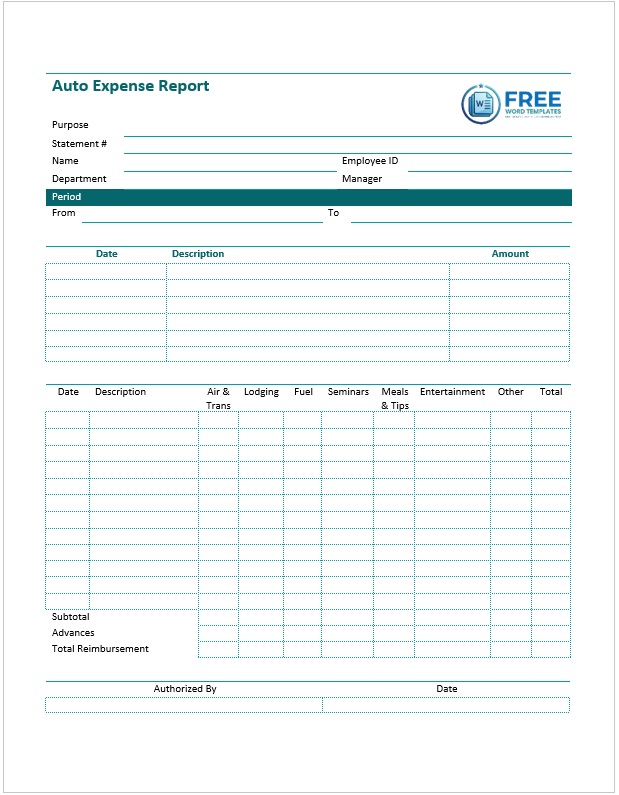
Expense Report Templates
Total Certificates: 05 Reports

Project Progress Report Templates
Total Certificates: 11 Reports

Police Report Templates
Total Certificates: 14 Reports

Book Report Templates
Total Certificates: 10 Reports
Core Components of Any Good Report Template
When the following eight components are thoughtfully integrated into a single, editable framework, the report template not only streamlines production but also guarantees that every finished document is comprehensive, credible and ready for immediate distribution.
Title Page and Cover Design
Title Page and Cover Design form the visual gateway to the document and should instantly convey the report’s purpose, author, date and organization’s branding. A clean cover that incorporates the company logo, a concise headline and a subtle color scheme sets a professional tone and encourages the reader to continue.

Executive Summary or Abstract
Executive Summary or Abstract is the short narrative that distils the entire report into a handful of sentences. In this section the key findings, main recommendations and the overall conclusion are presented up front so busy executives can grasp the essential message without scrolling through pages of detail. An effective executive summary mirrors the language used in the report’s headings and mirrors the tone of the target audience, whether that is senior management, investors or academic reviewers.
Objectives and Scope
Objectives and Scope clarifies why the report was commissioned and defines the boundaries of the analysis. By stating the specific questions the report seeks to answer, the intended audience and any limitations, the writer removes ambiguity and ensures that readers understand the context in which the data were collected and interpreted.
Methodology and Data Sources
Methodology and Data Sources explains the procedures, tools and datasets that underpin the analysis. Whether the research relies on surveys, financial spreadsheets, software-generated dashboards or qualitative interviews, this component must outline sampling techniques, calculation methods, and any assumptions made. Transparent methodology builds credibility and allows the audience to assess the robustness of the findings.
Findings, Analysis and Visualizations
Findings, Analysis and Visualizations constitute the heart of the document. Here the raw numbers or observations are transformed into charts, tables, infographics or narrative explanations that highlight trends, deviations and patterns. A good template provides pre-formatted placeholders for bar graphs, line charts, pie charts or heat maps, each tagged with clear axis titles and data labels so that the visual elements reinforce, rather than obscure, the written analysis.
Recommendations and Action Items
Recommendations and Action Items translate insights into concrete steps. This section should be organized as a hierarchy—high level strategic actions followed by tactical tasks, owners and target dates. By linking each recommendation directly back to the evidence presented in the findings, the report drives decision making and demonstrates practical value.
Appendix and Supporting Documentation
Appendix and Supporting Documentation houses supplementary material that is useful but would interrupt the flow of the main narrative. Raw data tables, detailed calculations, interview transcripts, glossary terms or legal disclosures belong here, and the template typically includes a table of contents that automatically updates to reflect any items placed in the appendix.
References and Citations
References and Citations round out the document by accrediting external sources, standards, industry benchmarks or academic literature. Consistent citation style—APA, MLA, Chicago or Harvard—should be built into the template’s footnote or end-note fields, ensuring that attribution remains accurate as the report evolves.
The 7 Main Types of Report Templates
These seven distinct categories capture the full spectrum of reporting needs across industries, providing ready?made scaffolds that can be tailored to specific audiences, data?intensity levels and branding requirements; selecting the appropriate type ensures every report is fit?for?purpose, professionally formatted and instantly recognizable to its readers.
1. Business and Project Reporting
Business?focused templates provide the backbone for quarterly performance reviews, strategic plans and multi?phase project updates. They open with an executive summary that captures the most critical take?aways, followed by a clear statement of objectives. A progress dashboard then visualizes milestones against baseline schedules, while a risk?assessment matrix flags potential roadblocks. Throughout the document placeholders for KPI tables, financial variance charts and a decision?making section keep senior leaders informed about resource allocation and budget approval. When the same framework is applied to a specific project, the language shifts to deliverables, stakeholder responsibilities and change?control logs, but the overall structure remains instantly recognizable, allowing team members to move from one report to the next without re?learning the format.
2. Marketing and Communications Reporting
Marketing templates centre on campaign performance, audience engagement and brand analytics. The layout begins with campaign objectives, then presents a metrics overview that contrasts pre?campaign benchmarks with actual results using funnel charts, heat maps and social?media sentiment graphs. Insight sections explain why certain messages resonated while others fell flat, and a recommendations block proposes optimization tactics for upcoming phases. Because these reports are often shared with external agencies and executives, the template incorporates a brand?compliant cover page, a concise media?spend summary and a creative?asset inventory, ensuring every stakeholder receives a visually consistent snapshot of campaign health.
3. Financial and Expense Reporting
Financial templates are built around precision, regulatory compliance and the clear communication of monetary outcomes. They start with a high?level financial statement summarizing revenue, cost of goods sold, gross margin and net profit, then dive into detailed ledger tables, variance analyses and cash?flow forecasts. Embedded formulas automatically calculate year?over?year growth rates, while conditional formatting highlights line items that exceed budget thresholds. Additional sections for auditor notes, tax considerations and cost?allocation matrices satisfy both internal controls and external audit requirements without the need for manual recalculation each reporting cycle.
4. Human Resources and Compliance Reporting
HR?oriented templates document workforce statistics, policy adherence and regulatory filings. A headcount summary breaks down employees by department, tenure and employment type, followed by a talent?acquisition dashboard that tracks open positions, time?to?fill and source effectiveness. Compliance subsections capture training completion rates, incident logs and policy acknowledgment dates, while diversity?and?inclusion panels visualize demographic distribution against organizational goals. Pre?defined tables for performance scores and succession?planning calendars streamline the quarterly HR review and ensure all statutory reporting obligations are met.
5. Academic and Educational Reporting
Academic templates serve research papers, lab notebooks, theses and student progress summaries. They open with a title page that adheres to institutional formatting guidelines, then present an abstract that concisely outlines purpose, methodology and key findings. The body follows a logical flow—literature review, experimental design, data analysis with embedded charts, discussion of results and a conclusion revisiting the research questions. Citation fields are pre?styled for APA, MLA or Chicago, and an appendix area is reserved for raw data sets, code snippets or supplemental figures, allowing scholars to maintain research integrity while satisfying submission requirements.
6. Construction, Field and Operations Reporting
Construction templates focus on on?site progress, safety compliance and equipment utilization. They start with a project overview listing contract details, site location and key milestones, then provide a progress?tracking table that records completed tasks, pending work and percentage completion for each trade. Dedicated sections for safety?incident logs, inspection checklists and equipment?maintenance schedules keep regulators satisfied, while a visual Gantt chart depicts the critical path and highlights schedule slips. Consolidating these elements into a single file enables supervisors to generate daily or weekly reports that meet client expectations and regulatory standards without duplicating effort.
7. Creative and Infographic Reporting
Creative templates are designed for visual storytelling—brand books, annual?report graphics and market?research summaries that rely heavily on design. A master?page layout defines color palettes, typography hierarchies and grid systems, then offers pre?formatted placeholders for large?scale charts, icon arrays and narrative call?outs. Because the audience often includes investors, partners and media outlets, a concise “key insights” sidebar, a brand?guideline sheet and high?resolution export options for print and digital distribution are built in. The flexible yet structured design lets graphic designers focus on data visualization while preserving consistency across all report pages.

Pete Smith is a Business Management graduate and a passionate advocate for practical, accessible resources that empower professionals and entrepreneurs to succeed. With a strong foundation in organizational strategy and operational efficiency, Pete combines academic knowledge with real-world insights to simplify complex business processes. He is the creator behind a growing online platform dedicated to offering free, high-quality documents, templates, and actionable tips designed to save time and improve productivity.