The free birthday card templates on this page are made for Microsoft Word — pick a design, change the text and colors, print it on cardstock at home, and you have a card in ten minutes with no design-tool signups. The set includes kids’ designs, floral and elegant styles, and photo-front cards in both folding and flat formats. Below the downloads you’ll find how card folds work in Word (including the quarter-fold layout that trips everyone up), printing tips, and — for when you’re staring at the blank inside — message ideas for what to write.
Birthday Card Formats: Half-Fold, Quarter-Fold, and Flat
- Half-fold — a letter/A4 sheet folded once, giving a large 5.5×8.5″ card. The simplest to design in Word (front on page one, inside on page two, printed double-sided) and the most room to write.
- Quarter-fold — a sheet folded twice, giving a 4.25×5.5″ card. Prints on one side of the paper only, which makes it the easiest to print — but the layout looks bizarre before folding, because two panels print upside down. The diagram below shows why.
- Flat card — a single unfolded card, typically 5×7″, like a postcard with an envelope. Best for photo-front designs; write on the back or add a printed message under the photo.
The Quarter-Fold Layout, Explained
A quarter-fold template divides the sheet into four quadrants — and if you’ve ever opened one in Word and thought half of it was broken, this is why. The top two panels are supposed to be upside down:
|
INSIDE LEFT (decoration or leave blank) prints upside down — correct! |
INSIDE RIGHT your message goes here prints upside down — correct! |
|
BACK COVER (small “made with love” line, or blank) |
FRONT COVER “Happy Birthday!” + main design |
To fold it: print the single side, fold the top half backward (away from you) along the horizontal middle — the upside-down panels swing behind and become the right-way-up inside — then fold the left half backward along the vertical middle. The bottom-right quadrant ends up as your front cover, and opening the card reveals your message, right side up.
How to Make and Print a Birthday Card in Word
- Start from a template — the fold layout is the fiddly part, and the templates below have it done. Replace text by clicking into it; swap images via right-click ? Change Picture, which keeps the size and position.
- Half-fold cards: page one is the outside (front cover on the right half), page two is the inside. Print double-sided with “flip on short edge” — run one test sheet first, since getting the flip edge wrong puts the inside upside down.
- Quarter-fold cards: print single-sided at 100% scale (not “fit to page,” which shrinks the fold lines off their marks), then fold per the diagram above.
- Paper: cardstock between 200 and 300 gsm (65–110 lb cover) for half-fold and flat cards. Quarter-fold cards double the thickness at the fold, so lighter 160–200 gsm stock folds cleaner there. Score the fold line first with a ruler and an empty ballpoint pen for a crisp crease.
- Envelopes: a quarter-fold card (4.25×5.5″) fits a standard A2 invitation envelope; a 5×7 flat card takes an A7 envelope; a half-fold card fits a 6×9 envelope. Buying the envelope first and sizing the card to it is the pro move.
Free Birthday Card Templates in MS Word
Every template below is editable in Word — the fold layouts are pre-built, so you only change the words, colors, and pictures. Each listing notes the fold format so you know what you’re printing.
Here’s the download button for this Free Birthday Card Template.

Here’s the download button for this Free Birthday Card Template.

Here’s the download button for this Free Birthday Card Template.
Here’s the download button for this Free Birthday Card Template.
Here’s the download button for this Free Birthday Card Template.

Here’s the download button for this Free Birthday Card Template.

Here’s the download button for this Free Birthday Card Template.
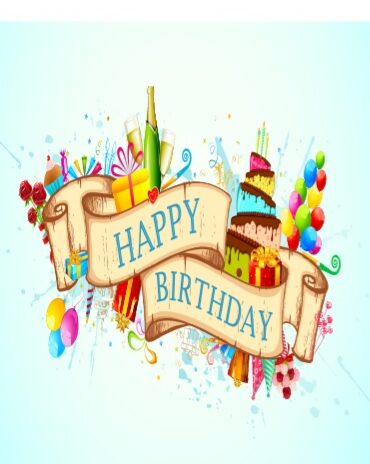
Here’s the download button for this Free Birthday Card Template.

Here’s the download button for this Free Birthday Card Template.

Here’s the download button for this Free Birthday Card Template.
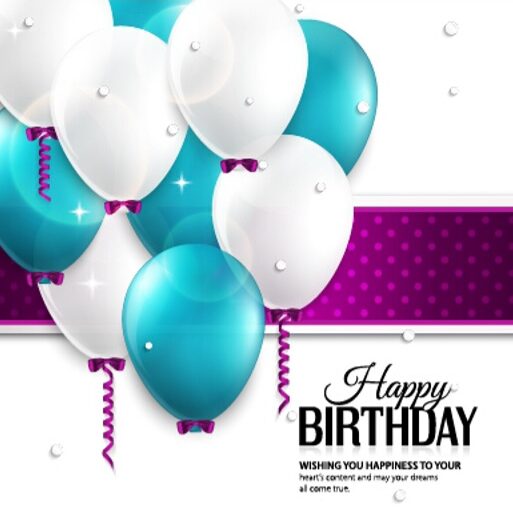
Here’s the download button for this Free Birthday Card Template.

Here’s the download button for this Free Birthday Card Template.

Here’s the download button for this Free Birthday Card Template.

Here’s the download button for this Free Birthday Card Template.

Here’s the download button for this Free Birthday Card Template.

Here’s the download button for this Free Birthday Card Template.

Here’s the download button for this Free Birthday Card Template.

Here’s the download button for this Free Birthday Card Template.
What to Write in a Birthday Card
The blank inside is where most of us stall. Pick a lane — warm, funny, or brief — and match it to the person:
For parents and family:
“Another year of being grateful you’re mine. Happy birthday, Mom.” • “Dad — everything I know about showing up, I learned from you. Have a wonderful birthday.” • “Happy birthday to the one who makes this family feel like home.”
For friends (warm):
“Here’s to another year of you being exactly who you are — my favorite person to waste time with.” • “Happy birthday! May this year hand you everything you’ve been quietly working toward.”
For friends (funny):
“You’re not getting older, you’re getting more difficult to buy candles for.” • “Happy birthday! I was going to make a joke about your age, but I respect the elderly.” • “Cheers to you — may your cake outlast your diet’s resolve, like every year.”
For colleagues:
“Happy birthday! Hope the day treats you as well as you treat the rest of us all year.” • “Wishing you a great birthday and an even better year ahead — enjoy the day off from being the sensible one.”
Milestone birthdays:
“Fifty looks good on you — but then, everything always has.” • “Thirty years of stories already. Can’t wait for the next chapter.” • “Eighteen! The world just got lucky. Go get it.”
Belated:
“This card is late; the love is not. Happy birthday!” • “Officially extending your birthday by one week. You’re welcome. Hope it was wonderful.”
One structural tip: two or three sentences beat a paragraph. Open with the wish, add one specific line about them — a memory, a trait, something from this year — and sign off. The specific line is the part they’ll keep the card for.
Frequently Asked Questions
What size is a standard birthday card?
The common sizes are 5×7″ for flat cards, 4.25×5.5″ for quarter-fold cards, and 5.5×8.5″ for half-fold cards made from a letter-size sheet. Match the envelope before printing: A7 for 5×7, A2 for quarter-fold.
How do I make a birthday card in Microsoft Word?
Easiest route: download one of the templates above with the fold layout pre-built, then edit the text and images. Building from scratch, set up a half-fold as two pages printed double-sided, or a quarter-fold as one page with four quadrants — with the top two rotated 180°, as the diagram above shows.
Why does my card template print upside down?
If it’s a quarter-fold template, it’s supposed to — the top panels print upside down and turn right-way-up when you fold the top half backward. If a half-fold card’s inside prints upside down, change the double-sided setting from “flip on long edge” to “flip on short edge.”
What paper should I print birthday cards on?
Cardstock: 200–300 gsm for half-fold and flat cards, slightly lighter (160–200 gsm) for quarter-folds since the double fold gets bulky. Score fold lines before folding for a clean crease, and check whether your printer needs cardstock fed through a rear or manual tray.
What should I write in a birthday card?
Keep it to two or three sentences: the birthday wish, one specific line about the person, and a warm sign-off. The message-ideas section above has ready-to-use examples by recipient and tone — heartfelt, funny, professional, milestone, and belated.

Pete Smith is a Business Management graduate and a passionate advocate for practical, accessible resources that empower professionals and entrepreneurs to succeed. With a strong foundation in organizational strategy and operational efficiency, Pete combines academic knowledge with real-world insights to simplify complex business processes. He is the creator behind a growing online platform dedicated to offering free, high-quality documents, templates, and actionable tips designed to save time and improve productivity.