A summary report condenses a larger body of work — a project, a study, a period of trading, an investigation — into something a busy reader can absorb in a few minutes. It’s a standalone document, usually one or two pages, and it stands or falls on what you leave out. The free templates below are editable MS Word files, and beneath them you’ll find a worked project summary, the structure that works, and the principle that separates a useful summary from a shorter version of the same report.
A Summary Is the Answer, Not an Abstract
The commonest way a summary report goes wrong is being written proportionally: a paragraph from each section of the original, scaled down evenly. The result reproduces the shape of the full document at a smaller size and answers nothing — the reader finishes it knowing roughly what topics were covered and none of the conclusions.
A summary report should be selective, not proportional. Decide what the reader actually needs to know, say it plainly, and spend the remaining space justifying it. Sections of the original that don’t bear on that decision get one line or none, however much work went into them.
The test: if someone read only your summary and never opened the full report, would they know the right thing and be able to act on it? If yes, it’s a summary report. If they’d merely know what the report was about, it’s a table of contents in prose.
Lead With the Conclusion
Readers of summaries frequently read the first paragraph and stop. That isn’t laziness — it’s what a summary is for, and it tells you where to put the finding.
Put the conclusion at the top, then the evidence beneath it, in descending order of importance. It’s the same structure news writing uses, and for the same reason: a reader who stops at any point should have the most important thing they hadn’t yet got.
Written the other way round — background, method, findings, conclusion — the reader has to reach the end to learn anything, and most won’t. Save the chronological version for the full report, where it belongs.
What Goes in a Summary Report
- Header — what’s being summarized, the period covered, who prepared it, the date, and who it’s for.
- Purpose and scope — one or two lines on what this covers, and explicitly what it doesn’t. Stating the exclusions prevents the question that otherwise arrives by email.
- Headline conclusion — the finding, up front.
- Key findings — the substance, as bullets or a short table. Numbers beat adjectives.
- Supporting data — the figures that back the findings, compared against plan, target, or the previous period. A number with nothing to compare it to is decoration.
- Conclusions — what the findings mean.
- Recommendations or next steps — with owners and dates where they exist.
- Where the detail lives — a line pointing to the full report, dataset, or appendix, so nobody has to ask.
Project Summary Report Example
|
PROJECT SUMMARY REPORT Project: Warehouse Management System Rollout | Period: Mar – Oct 2026 Prepared by: K. Osei, Project Manager | For: Operations Director, Steering Group | Date: 20 October 2026 |
|||
| Conclusion: The system went live at both sites on 2 October, six weeks after the original target and 4% under budget. Stock accuracy has improved from 91% to 98.6%. Two items remain outstanding and are covered below. | |||
| Scope: Covers delivery of the warehouse system at Sites A and B, March to October 2026. Does not cover the transport module, which was deferred to 2027. | |||
| Measure | Planned | Actual | Variance |
|---|---|---|---|
| Go-live date | 21 Aug | 2 Oct | +6 weeks |
| Total cost | 92,000 | 88,300 | ?4% |
| Stock accuracy | 97% | 98.6% | +1.6 pts |
| Staff trained | 34 | 34 | Complete |
Key findings
|
|||
Outstanding
|
|||
|
Recommendation: Book IT resource at the point of project approval for the 2027 transport module, rather than requesting it during delivery. Both delays in this project originated in unscheduled IT dependencies.
Full project documentation, test logs and financial detail: Projects/WMS/2026 on the shared drive. |
|||
Note the order: conclusion first, scope second, numbers third, detail last. A director reading only the green box knows the project delivered, late, under budget, with two loose ends. Note also the variance column — planned against actual is what makes a project summary meaningful, and a report showing only actuals is a report nobody can judge.
Free Summary Report Templates in MS Word
Each template below is editable in Word. Fill in the header and scope once, then write the conclusion before anything else.
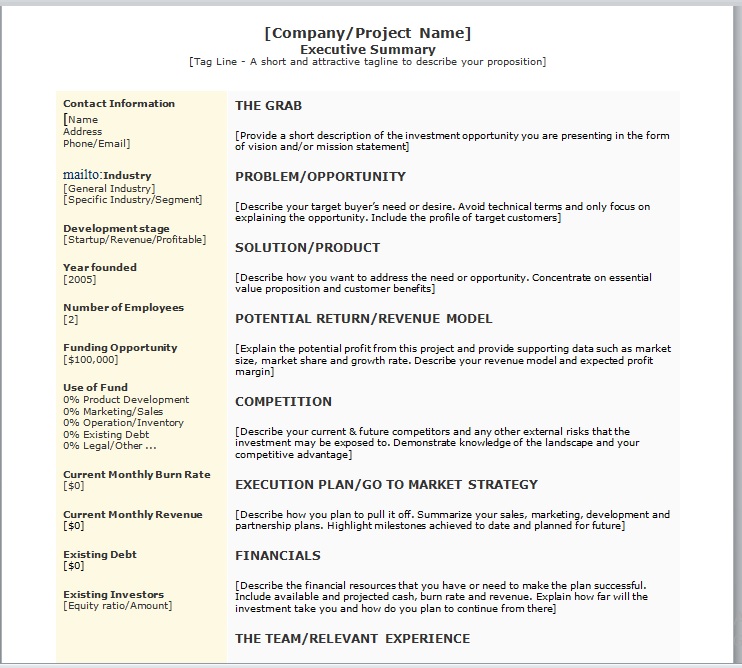

Project Summary Report Template

Header, scope, a planned-versus-actual table, key findings, outstanding items, and recommendations — the layout shown above.
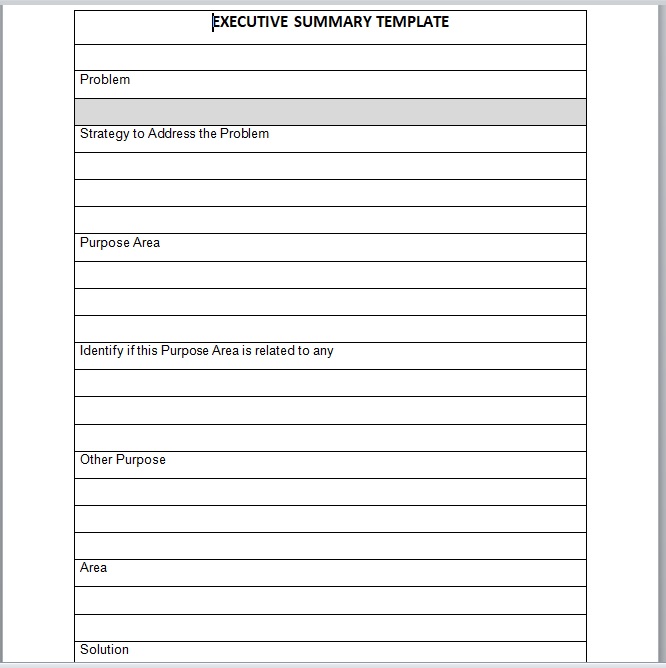
One-Page Summary Report Template

A condensed single-sheet format — conclusion, findings, and next steps only — for circulating to readers who won’t open an attachment.



Summary Report, Executive Summary, or Status Report?
Four documents that overlap, and knowing which you’ve been asked for saves rewriting it:
- A summary report is a standalone document condensing a body of work — a completed project, a study, a period. It’s delivered on its own.
- An executive summary is a section inside a longer document, written last and read first. It never travels alone.
- A status report is a recurring update on where something stands right now — weekly or daily, part of a series.
- A progress report reports movement against a plan over a period, usually with milestones and decisions needed.
The practical difference: summaries look backwards at something finished, status and progress reports look at something still running, and an executive summary is a component rather than a document. For the yearly organizational version, see our annual report templates.
Writing It
- Write the conclusion first. If you can’t state it in two sentences, you haven’t finished analysing — and writing the body first tends to produce a conclusion that merely restates it.
- Use numbers with comparisons. “Costs fell” is an impression; “costs fell 4% against budget” is a finding. Every figure should sit beside a plan, a target, or a previous period.
- Cut the method. How you gathered the data belongs in the full report. The summary carries what you found, not how hard it was to find.
- Keep it to one or two pages. Beyond that it isn’t a summary, and readers treat it like the document it was meant to replace.
- Say what’s outstanding. A summary reporting only successes gets read sceptically, and the loose ends surface later anyway — better from you than from someone else.
- Point to the detail. One line saying where the full material lives turns “can you send me…” emails into nothing.
- Read it as the recipient. If they’d still have to ask a question to act, answer that question before sending.
Frequently Asked Questions
What is a summary report?
A short standalone document condensing a larger body of work — a project, study, investigation, or trading period — into the findings, conclusions, and recommendations a reader needs. Usually one or two pages.
How do I write a summary report?
Start with the conclusion, then support it: scope, key findings with comparative numbers, what’s outstanding, and recommendations. Leave out method and background detail — those belong in the full report, which you should point to at the end.
How long should a summary report be?
One page where possible, two at most. If it runs longer, it has stopped being a summary and readers will treat it as another document to get to later.
What is the difference between a summary report and an executive summary?
An executive summary is a section at the front of a longer document and never travels alone. A summary report is a standalone document, delivered on its own, that condenses work the reader may never see in full.
What should a project summary report include?
The project and period, scope and exclusions, the headline outcome, planned versus actual on dates and budget, key findings, anything still outstanding with owners and dates, lessons or recommendations, and where the full documentation is held.
Should a summary report include recommendations?
Almost always. A summary that reports findings without saying what should follow leaves the reader to do the thinking you were closest to. Where recommendations aren’t yours to make, state the options and their implications instead.

Pete Smith is a Business Management graduate and a passionate advocate for practical, accessible resources that empower professionals and entrepreneurs to succeed. With a strong foundation in organizational strategy and operational efficiency, Pete combines academic knowledge with real-world insights to simplify complex business processes. He is the creator behind a growing online platform dedicated to offering free, high-quality documents, templates, and actionable tips designed to save time and improve productivity.