A task list records work that needs doing, who’s doing it, when it’s due, and where it’s got to. That last part is what separates it from a to-do list — a task list is built to be shared, assigned, and reviewed, whether across a team or just between you and next week’s version of yourself. The free templates below are editable MS Word files, and beneath them you’ll find a filled-in example and the small number of rules that keep a task list current rather than abandoned.
Task List or To-Do List?
They overlap, and the distinction is worth drawing because it determines which columns you need:
- A to-do list is personal and mostly private. Items, maybe dates, ticked off as you go. Our monthly to-do list templates cover that horizon.
- A task list adds three things: an owner, a due date, and a status. Those make it reviewable — someone can look at it and see what’s moving, what isn’t, and who to ask.
- A checklist is different again: the same sequence run repeatedly, where the items don’t change between uses.
If you’d print the same list again next month, it’s a checklist. If it’s only yours, a to-do list is enough. If someone else needs to know where a piece of work has got to, you want a task list.
How to Write a Task
Most stalled task lists are stalled because of how the tasks are written. Three rules fix nearly all of it:
1. Start with a verb, and name something finish-able. “Marketing” isn’t a task — nobody can tell when it’s done. “Draft Q4 email campaign copy” is. The test: could two people agree it’s complete?
2. One owner per task. Tasks assigned to “the team” or to two people are the ones still sitting there in six weeks. Shared responsibility for a task is no responsibility, and if two people genuinely need to work on something, it’s two tasks.
3. If it takes more than a day, it’s not a task. “Launch the new website” is a project. Broken down — draft copy, approve design, migrate content, test checkout, redirect old URLs — it becomes five tasks that can each be owned, dated, and finished. Big undifferentiated items are the most reliable cause of a list nobody updates, because nothing on it ever changes status.
Task List Example
| TASK LIST — Website Relaunch | Week commencing 21 September 2026 | Reviewed Mondays, 9:30 | |||||
| # | Task | Owner | Due | Priority | Status |
|---|---|---|---|---|---|
| 1 | Draft copy for home and services pages | A. Bello | 24 Sep | High | In progress |
| 2 | Approve final homepage design | K. Osei | 25 Sep | High | Not started |
| 3 | Migrate 40 blog posts to new CMS | M. Chen | 30 Sep | Med | In progress |
| 4 | Test checkout with live payment gateway Waiting on merchant account credentials from finance |
R. Silva | 26 Sep | High | Blocked |
| 5 | Set up 301 redirects for old URLs | M. Chen | 2 Oct | Med | Not started |
| 6 | Book photographer for team portraits | D. Ferreira | 19 Sep | Low | Done |
| 6 tasks · 1 done · 2 in progress · 2 not started · 1 blocked — needs finance, raised 22 Sep | |||||
Two features earn their place. The blocked task carries a note saying what it’s waiting for and who from — “blocked” on its own tells a reviewer nothing they can act on. And the summary line counts the statuses, so anyone glancing at the list sees the shape of the week without reading every row.
Free Task List Templates in MS Word
Each template below is editable in Word. Set up your columns once, then use the same file each week or per project.

Grab this Free Task List Template 01 by clicking on this download button.

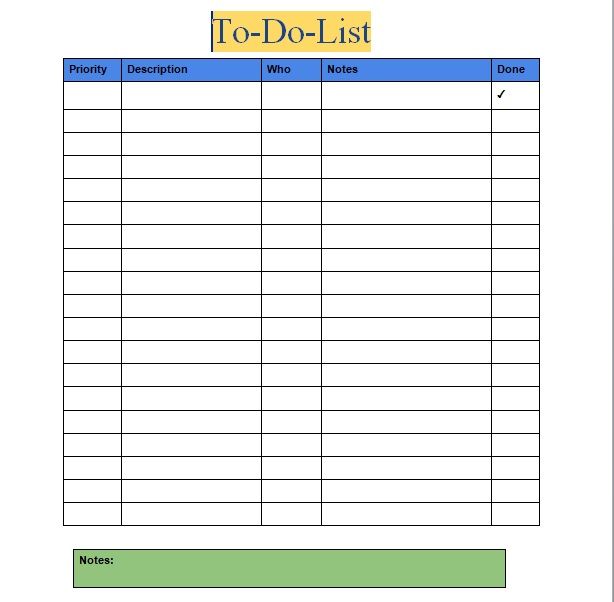
Grab this Free Task List Template 02 by clicking on this download button.

Grab this Free Task List Template 03 by clicking on this download button.

Grab this Free Task List Template 04 by clicking on this download button.

Grab this Free Task List Template 05 by clicking on this download button.
Source: SmartSheet
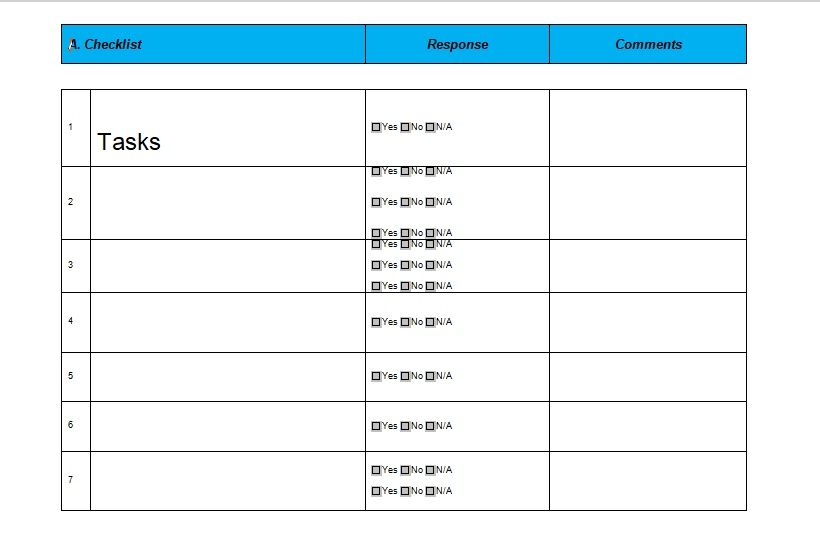
Grab this Free Task List Template 06 by clicking on this download button.

Grab this Free Task List Template 07 by clicking on this download button.
Keep Statuses to Four
Four values cover everything that matters:
- Not started
- In progress
- Blocked — with a note saying what it’s waiting for and who from
- Done
Resist adding more. Every extra status is a decision someone has to make before updating the list, and each decision makes it a little less likely they will. “Awaiting review,” “partially complete,” “on hold pending” and “in QA” all feel useful when you add them and all end up meaning roughly “in progress.”
Blocked is the one that earns its keep. It’s the status that tells a reviewer something needs their intervention, and the one that gets under-used because marking a task blocked feels like admitting failure. It isn’t — it’s how a dependency reaches the person who can clear it while the deadline is still achievable.
Prioritising
Three approaches, any of which beats none:
- High / Medium / Low — simplest, and adequate for most lists. The discipline is that no more than a third can be High; if everything is high priority, nothing is.
- Urgent versus important — urgent tasks shout, important ones don’t. The work that grows the business or prevents next month’s crisis is nearly always important and rarely urgent, which is why it needs protecting on the list.
- MoSCoW — Must, Should, Could, Won’t. Useful for project scope, where the value is in explicitly agreeing what won’t be done rather than leaving it implied.
Stale Tasks
Every task list accumulates items that never move — not blocked, not urgent, just permanently present. They’re worth dealing with, because a list where a third of the rows never change is one people stop reading.
Review weekly, and for anything untouched for three weeks, make a decision rather than carrying it again:
- Do it — if it’s small, it’s usually smaller than the effort of carrying it.
- Schedule it — put it on a specific day, not back on the list. Items that stall generally lack a slot, not motivation.
- Reassign it — the owner may be the wrong person, or the wrong person now.
- Break it down — if it never starts, it’s probably too big. See the one-day rule above.
- Delete it — the option people skip. A task carried for three months without action is telling you something, and removing it costs nothing.
Tracking a Task List in Excel
If you keep the list in a spreadsheet, two additions make it report on itself. With statuses in column F and due dates in column D:
=COUNTIF(F2:F50,”Done”) ? tasks complete
=COUNTIF(F2:F50,”Blocked”) ? tasks needing attention
=COUNTIF(F2:F50,”Done”)/COUNTA(B2:B50) ? percentage complete
Then add conditional formatting to flag overdue work: select the due-date column, choose Conditional Formatting ? New Rule ? Use a formula, and enter a rule comparing the date to =TODAY() while the status isn’t Done. Overdue rows then colour themselves, which means nobody has to scan dates manually — the list surfaces its own problems.
Frequently Asked Questions
What is a task list?
A record of work to be done, with an owner, a due date, and a status for each item. The owner and status are what distinguish it from a personal to-do list — they make the list reviewable by someone other than the person who wrote it.
What is the difference between a task list and a to-do list?
A to-do list is personal: items you tick off yourself. A task list adds owners, due dates, and statuses so work can be assigned and tracked across a team or a project.
How do I write a good task?
Start with a verb and name something finish-able — “Draft Q4 campaign copy,” not “Marketing.” Give it one owner and one date. If it would take more than a day, break it into smaller tasks.
How many status values should a task list have?
Four: not started, in progress, blocked, and done. More than that adds a decision before every update, which is the quickest way to end up with a list nobody maintains.
How often should a task list be reviewed?
Weekly for most teams, at a fixed time. The review is where blocked items get unblocked and stale tasks get decided — without it, a task list becomes a record of intentions.
How do I track task completion in Excel?
Use COUNTIF on the status column to count done and blocked items, divide by the total for a percentage, and add conditional formatting on the due-date column to highlight anything overdue that isn’t marked done.
What should I do with tasks that never get done?
Decide rather than carry them: do it, schedule it on a specific day, reassign it, break it into smaller tasks, or delete it. A task untouched for three weeks is waiting for a decision, not for time.

Pete Smith is a Business Management graduate and a passionate advocate for practical, accessible resources that empower professionals and entrepreneurs to succeed. With a strong foundation in organizational strategy and operational efficiency, Pete combines academic knowledge with real-world insights to simplify complex business processes. He is the creator behind a growing online platform dedicated to offering free, high-quality documents, templates, and actionable tips designed to save time and improve productivity.