A resume template saves you the layout so you can spend your time on the wording — which is the part that actually decides whether you get a call. Below you’ll find our resume collections by category, an interactive builder if you’d rather not start from a file, and the two decisions to make before you download anything: which format fits your history, and which style fits your industry.
Build One in Your Browser
If you’d rather not edit a Word file, our free Resume Builder walks you through each section and produces a finished, formatted resume you can download. No account, no payment, no watermark.
It suits anyone starting from nothing, anyone whose Word formatting keeps breaking, and anyone applying from a phone. If you already have a resume and want to restyle it, a template is the quicker route — pick a category below.
Professional Resume Builder – Free Tool
We have created a Professional Resume Builder with ready-made Resume Layouts to help our website visitors quickly prepare their own resume.
Choose Your Format First
Before the design, decide the structure. There are three, and the right one depends entirely on what your work history looks like.
| Format | How it’s built | Use it when |
|---|---|---|
| Chronological the default |
Jobs listed newest first, each with achievements beneath. Skills and education follow. | Your history is steady and roughly progressive. Covers the large majority of applicants, and it’s what recruiters expect to see. |
| Hybrid combination |
A short skills or achievements block at the top, then full chronological experience beneath it. | You’re changing field, returning after a break, or your most relevant experience isn’t your most recent. The best choice for anything awkward. |
| Functional rarely advisable |
Grouped by skill, with employment reduced to a short list or omitted. | Almost never — see below. |
Don’t Use a Functional Resume
Functional resumes are recommended constantly for career changers, graduates and anyone with gaps. It’s worth knowing why experienced recruiters tend to distrust them.
A functional resume removes the timeline. That’s the entire design intent — and it’s also exactly what a reviewer notices. Someone reading a skills-grouped resume with no clear employment dates generally assumes something is being hidden, and the usual response is to look harder at the gaps rather than less. The format meant to deflect attention attracts it.
There’s a practical problem too: skills listed without context can’t be weighed. “Project management” tells a reader nothing about whether you ran a team of three for six months or a department for a decade. The chronology is what gives each claim a size.
Use a hybrid instead. Put a short block at the top — three or four lines of relevant skills or a handful of achievements — then give your employment history in full beneath it. You get the same benefit, which is leading with what’s relevant rather than what’s recent, and you keep the structure a recruiter trusts.
On gaps specifically: a short line saying what you were doing is almost always better than an absence. “Career break — full-time caring responsibilities, 2023–24” closes the question in eight words. Leaving it blank invites the reader to invent something worse.
Browse by Category
Each collection below opens on its own page with previews and individual downloads.
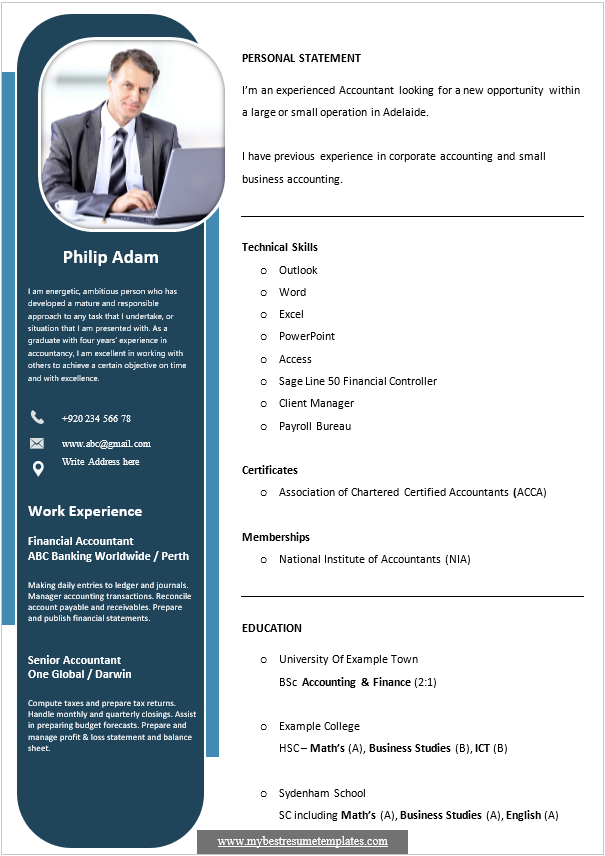
Modern Resume Templates
Total Certificates: 05 Resume Templates
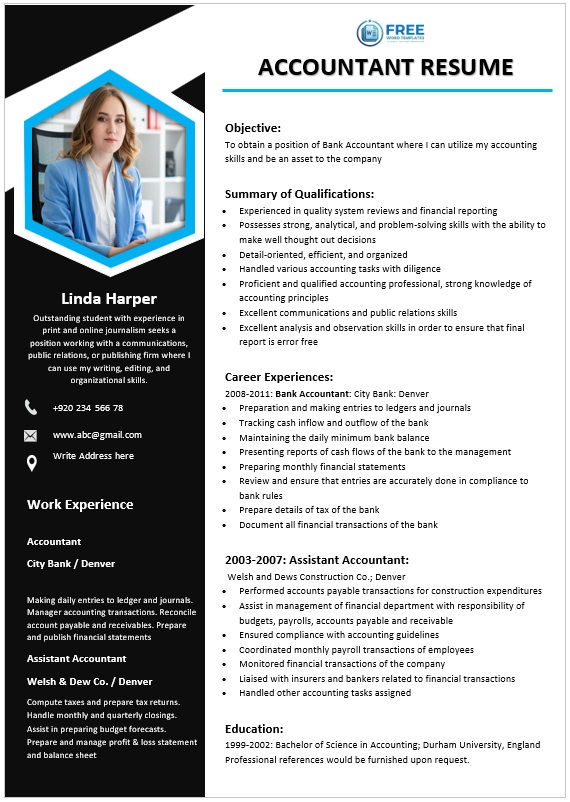
Creative Resume Templates
Total Certificates: 05 Resume Templates

Nursing Resume Templates
Total Certificates: 03 Resume Templates

Teacher Resume Templates
Total Certificates: 03 Resume Templates
How to Choose the Perfect Template for Your Career?
Identify Your Industry’s Visual Language
Every profession has an unspoken visual code that signals credibility to hiring managers, and the first step in selecting a template is to understand that code. Creative fields such as graphic design, advertising, or photography often reward bold color accents, unconventional layouts, and the occasional icon, so a modern resume template with a splash of visual interest will help you stand out without sacrificing professionalism. In contrast, finance, law, healthcare, and engineering tend to favor clean, conservative designs that emphasize readability; a professional resume template built with classic Helvetica or Times New Roman, ample white space, and a single-column structure conveys the precision and attention to detail those sectors expect. By matching the aesthetic expectations of your target industry, you instantly align your personal brand with the cultural norms of the organizations to which you are applying.
Align the Template with Your Experience Level
Your career stage dictates how much narrative space you need and which sections should dominate the page. Entry-level candidates or recent graduates benefit from templates that highlight education, internships, and transferable skills, often featuring a prominent summary or objective at the top of the page. Mid-career professionals, meanwhile, require a layout that can accommodate a longer work-history while still giving prominence to achievements and quantifiable results; a template that offers a two?column format or a dedicated “Key Accomplishments” block works well here. Executives and senior leaders need a concise, senior-focused design where a brief executive profile is followed by a strategic overview of leadership impact, board memberships, and high-level metrics—templates that provide space for a polished “Career Highlights” section are ideal. Selecting a template that mirrors the depth and breadth of your experience ensures that the most relevant information is seen first, guiding recruiters through your story in a logical, compelling order.
Choose a Format That Matches Your Storytelling Needs
The traditional chronological format remains the most widely accepted, especially for roles that value progressive responsibility, and most free Word resume templates include this layout as a default option. If you are switching industries or wish to de-emphasize gaps, a functional format that groups skills and competencies together can be more effective, though it should be paired with a concise employment timeline to avoid raising red flags. A combination or hybrid layout blends the strengths of both, allowing you to headline key achievements while still providing a clear employment chronology—a useful compromise for professionals with diversified experience. Finally, for those who want to make a visual impact without sacrificing clarity, an infographic-style template can translate complex data into digestible graphics; just ensure the design remains printer-friendly and legible on both screen and paper.
By evaluating the visual expectations of your industry, matching the template’s structure to your career stage, and selecting a format that best showcases your narrative, you create a seamless bridge between your personal brand and the hiring manager’s expectations. The right template not only enhances readability but also reinforces the story you want prospective employers to remember.
Which Template Suits Your Career Stage
- Students and graduates. Education first, then internships, projects, part-time work and volunteering. One page. A clean, simple layout — a heavily designed resume with little content on it looks emptier, not fuller.
- Early career, one to five years. Experience moves above education. Still one page. Lead each role with what you achieved rather than what you were assigned.
- Mid-career. Two pages is fine and often better than cramming. Give recent roles the most space and compress anything over ten years old to a line or two.
- Senior and executive. A short profile at the top covering scope — budget, headcount, territory — then achievements with numbers attached. Two pages, occasionally three. Restraint reads as seniority; decoration doesn’t.
- Changing industry. Hybrid format, and translate your experience into the language of the field you’re entering rather than the one you’re leaving.
- Returning after a break. Hybrid, with the break stated plainly and briefly, and any recent courses, volunteering or freelance work included.
On style: creative and visually designed layouts suit design, marketing, media and agency roles. Finance, law, healthcare, engineering, government and academia expect something plain — our modern resume templates cover that, and the creative resume templates page explains when a designed CV helps and when it costs you.
The Five Minutes That Matter Most
Most people spend an hour choosing a template and five minutes on the bullet points. It’s the wrong way round — the template affects whether your resume is pleasant to read, and the bullets affect whether anyone calls.
The difference is between describing a duty and describing a result:
- “Responsible for managing social media accounts” ? “Grew Instagram following from 4,200 to 31,000 in 14 months, driving 22% of Q3 online sales”
- “Handled customer complaints” ? “Cut average complaint resolution from 9 days to 2, reducing repeat contacts by a third”
- “Assisted with monthly reporting” ? “Rebuilt the monthly report in Excel, cutting preparation from two days to three hours”
The formula: a strong verb, what you did, and the result with a number. Led, rebuilt, reduced, launched, trained, negotiated — not “responsible for” or “duties included”.
If you think you have no numbers, look again. How many people, how often, how much, how long, how much faster. Nearly every job has quantities attached that nobody wrote down.

The download button for this wonderful Resume Template is here.


You can easily get this creative resume template for free by clicking on the download button below.
Before You Send It
- Tailor it to the advert. Change the summary and reorder your bullets so the most relevant sit at the top of each role. Ten minutes per application beats sending the same file thirty times.
- Use the advert’s own words for tools, titles and skills — that’s what a recruiter searches for in their system.
- Send a PDF unless the advert asks for Word, and check the text is selectable: open it, press Ctrl+A, and confirm individual words highlight rather than the whole page.
- Name the file properly — “Rosa Silva — Resume.pdf”, not “resume_final_v3.pdf”.
- Keep contact details in the body of the document, not in the header or footer, where some systems don’t read them.
- Read it aloud once. It catches the tense slips and the sentence that doesn’t finish, both of which spellcheck ignores.
- Have somebody else read it. You cannot proofread your own resume properly, and the error you’ve read past ten times is the one they’ll spot immediately.
Have a reference list ready as a separate document rather than putting “references available on request” on the resume itself.
Frequently Asked Questions
Which resume format should I use?
Chronological for a steady work history, which covers most people. Hybrid if you’re changing field, returning after a break, or your most relevant experience isn’t your most recent. Functional is best avoided.
Why shouldn’t I use a functional resume?
Because removing the timeline is what the format does, and that’s exactly what a reviewer notices. Skills grouped without dates tend to read as concealment, and they can’t be weighed — “project management” could mean three people for six months or a department for a decade. A hybrid gives you the same benefit without the suspicion.
How long should a resume be?
One page up to around five years’ experience, two for mid-career and senior roles, and occasionally three at executive level. Two well-spaced pages read better than one page in tiny type.
Does Microsoft Word include resume templates?
Yes — File ? New, then search for “resume”. Our collections offer more designs and more control, but Word’s built-in templates are a perfectly reasonable starting point.
Should I send my resume as Word or PDF?
PDF unless the advert specifies Word. Check the text is selectable before sending — if the whole page highlights as one block rather than individual words, it’s an image and recruitment software can’t read it.
How do I handle a gap in my employment history?
State it briefly and move on. “Career break — full-time caring responsibilities, 2023–24” closes the question in a line. An unexplained gap invites the reader to imagine something worse than the truth.
Do I need to tailor my resume for each application?
Yes, at least the summary and the order of your bullet points. Fifteen tailored applications outperform thirty identical ones, and it takes about ten minutes each.
What’s the most common resume mistake?
Listing duties instead of results. “Responsible for managing social media” describes a job description; “grew the following from 4,200 to 31,000 in 14 months” describes a person worth interviewing.

Pete Smith is a Business Management graduate and a passionate advocate for practical, accessible resources that empower professionals and entrepreneurs to succeed. With a strong foundation in organizational strategy and operational efficiency, Pete combines academic knowledge with real-world insights to simplify complex business processes. He is the creator behind a growing online platform dedicated to offering free, high-quality documents, templates, and actionable tips designed to save time and improve productivity.