A blank storybook is one of the better things you can hand a child. They write it, they draw it, and at the end they’re holding a book with their name on the cover — which is a very different experience from finishing a worksheet. The free templates below are printable blank book layouts in MS Word, and beneath them you’ll find how to plan the pages, how much text belongs on each, and the Word setting that folds your pages into a proper booklet.
Plan the Pages Before Writing
The single most useful step, and the one everyone skips. A storybook isn’t a piece of continuous writing — it’s a fixed number of pages, each holding one moment of the story. Deciding what goes on each page before writing anything prevents the two usual failures: running out of story by page four, or reaching page eight with half the plot still to go.
Pick a length first. Eight, twelve, or sixteen pages works well; picture books are almost always a multiple of four, because pages are printed on folded sheets. Then sketch out what happens on each page — a few words per box is enough.
A Page Plan for an Eight-Page Book
| STORY PLAN | The Cat Who Wouldn’t Come In | 8 pages | by Amara, age 7 | ||
| Page | What happens | Picture |
|---|---|---|
| Cover | Title and author name | Cat sitting in the rain |
| 1 | Meet Biscuit. Biscuit loves the garden. | Cat in a sunny garden |
| 2 | It starts to rain. | Dark clouds, first drops |
| 3 | Mum calls. Biscuit won’t come in. | Open door, cat looking away |
| 4 | We try treats. No. | Hand holding treats |
| 5 | We try the squeaky mouse. No. | Toy mouse, cat ignoring it |
| 6 | Then the rain gets really heavy. | Soaked cat, very cross |
| 7 | Biscuit comes in. It was his idea. | Wet cat walking in proudly |
| 8 | Biscuit is dry and warm. The end. | Cat asleep by the radiator |
Two things this plan does. The three attempts on pages 4, 5 and 6 give the story a rhythm young children recognize immediately — the rule of three is why so many children’s stories work. And every page has one idea only, which is what keeps the sentences short and the pictures easy to draw.
How Much Text Per Page
Less than you think, and less than any child writing their first book will want to use. The pictures carry the story; the words fill in what the picture can’t show.
- Ages 2–4: one short line per page. Repetition and refrains work brilliantly — a phrase that comes back on every page is something a child can join in with.
- Ages 5–7: one to three sentences per page. Simple words, one idea, and plenty of white space for the drawing.
- Ages 8–10: a short paragraph per page, or move to a chapter format with occasional illustrations.
If a child is writing their own, “one or two sentences on each page” is the most useful instruction you can give them. It makes the task feel manageable, it produces a better book, and it leaves room for the part most children actually want to do.
The Shape of a Story
The structure taught in most primary classrooms, and the one that makes an eight-page book hold together:
- Opening — who the character is and where they are. One page, sometimes two.
- Build-up — something changes. The weather turns, a stranger arrives, something goes missing.
- Problem — the difficult bit, usually with attempts to solve it. Three attempts is the classic pattern.
- Resolution — how it’s sorted out.
- Ending — where everyone is now. Often a return to the opening scene, changed.
Two questions unlock most stuck stories: who is it about? and what goes wrong? A story with a character and a problem writes itself. A story with neither becomes a list of things that happened.
Free Kids Storybook Templates in MS Word
Each template below is editable in Word and prints on ordinary paper. Print one per child, or a few for a wet afternoon.
Storybook Template with Picture Box and Lines
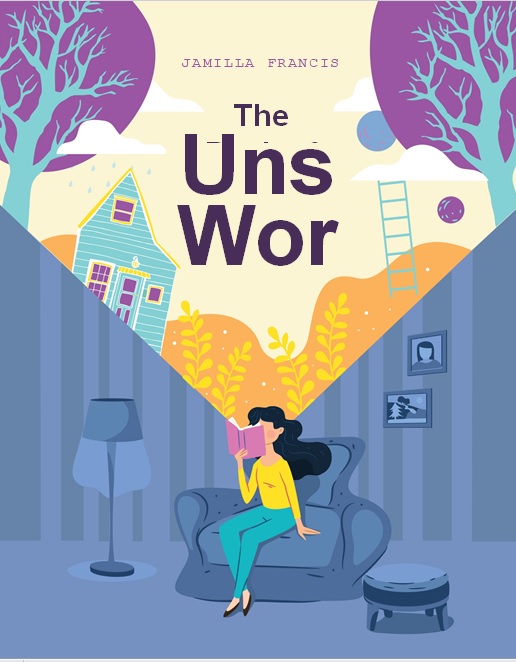
A drawing area on the upper half of each page with writing lines beneath — the standard layout for children who are still forming letters.

Blank Storybook Template

Open pages with a decorative border and a cover sheet — for older children who want to lay out the page themselves.

Here is the download button for this Kids’ Storybook Template.
Printing It as a Real Booklet
Word will do this for you, and almost nobody knows the setting exists.
- Go to Layout ? Page Setup (click the small arrow in the corner of the Page Setup group).
- Under Multiple pages, choose Book fold.
- Word switches the page to landscape and treats each sheet as two pages. Set Sheets per booklet to All, or to 4 for a short book.
- Print double-sided, flipping on the short edge. If your printer doesn’t do double-sided, print odd pages, reload, and print even pages.
- Fold the stack in half.
Word reorders the pages automatically so that when the stack is folded, everything is in the right sequence — page 1 on the outside, page 2 facing page 3, and so on. Doing that by hand is fiddly and easy to get wrong, which is why so many home-made books end up stapled at the side instead.
Test with one copy first. Print it, fold it, and check the page order before running off thirty for a class.
Binding
- Saddle stitch — fold the sheets and staple twice through the spine. A long-arm stapler makes this easy; without one, staple on a soft surface like a mousepad and flatten the legs with a spoon.
- Ribbon binding — punch two or three holes along the fold and tie with ribbon or wool. Good for younger children, since they can do it themselves.
- Card cover — print the cover on thin card so the book survives being carried around. It’s the difference between a book that lasts a week and one that lasts years.
- Laminate the cover if the book will be shared in a classroom.
In the Classroom
Making a book is a writing activity with a finished object at the end of it, which changes how children approach the work. A few formats that work:
- One book each. Plan on the Monday, draft midweek, illustrate and bind on the Friday. The page plan above works as the planning sheet.
- A class book — one page per child on a shared theme, bound together. Everyone’s work is published, and it goes in the book corner where other children actually read it.
- Retelling — children make a book of a story they know, which removes the plotting problem and leaves them concentrating on sentences and illustration.
- Non-fiction books — the same format works for an information book about a topic the class has studied.
- Reading it aloud. The published-author moment is the point. Ten minutes of children reading their books to the class is worth more than the marking.
For the wider lesson, our lesson plan templates cover the planning side, and book report templates suit responding to a book rather than making one.
Making It Personal
If you’re making a book for a particular child rather than with them, one change matters more than every design decision put together: make them the main character, by name.
A book about a child called by their own name, in places they recognize, doing something they’d do, gets read repeatedly and kept for years. It also takes very little effort — a simple story, eight pages, a few drawings or photographs, and the child’s name throughout.
Occasions that suit it: a new sibling arriving, starting school, a first holiday, a house move, or a grandparent recording a family story that would otherwise go unrecorded. None of them need to be well drawn. A wobbly book about your own family beats a polished one about somebody else’s.
Frequently Asked Questions
How many pages should a children’s storybook have?
Eight, twelve, or sixteen for a home or classroom book — always a multiple of four, since pages print on folded sheets. Eight is plenty for a first book and enough for a beginning, a problem, and an ending.
How much text should go on each page?
One line for very young children, one to three sentences for ages five to seven, and a short paragraph for older children. The pictures carry the story; the words fill in what the picture can’t show.
How do I print a storybook as a folded booklet in Word?
Open Layout ? Page Setup, set Multiple pages to “Book fold,” then print double-sided flipping on the short edge and fold the stack in half. Word reorders the pages automatically so they come out in the right sequence.
How do I plan a story with a child?
Decide how many pages first, then fill in what happens on each one before writing anything. Two questions get most stories started: who is it about, and what goes wrong? Three attempts at solving the problem gives the story a rhythm children recognize.
How do I bind a home-made storybook?
Fold the sheets and staple twice through the spine, or punch holes along the fold and tie with ribbon. Print the cover on thin card so the book survives being carried around.
What makes a personalised storybook work?
Using the child’s own name as the main character, in places they recognize. That single choice is what makes a home-made book get read again and kept, regardless of how well it’s drawn.
Can I use these templates for a class book?
Yes — print one page per child on a shared theme, then bind the pages together with a card cover. It publishes everyone’s work at once and gives the book corner something the class will genuinely read.

Pete Smith is a Business Management graduate and a passionate advocate for practical, accessible resources that empower professionals and entrepreneurs to succeed. With a strong foundation in organizational strategy and operational efficiency, Pete combines academic knowledge with real-world insights to simplify complex business processes. He is the creator behind a growing online platform dedicated to offering free, high-quality documents, templates, and actionable tips designed to save time and improve productivity.