A contact list is a simple document that stops a simple problem: needing someone’s number and not having it to hand. Offices keep staff lists, clubs keep member rosters, schools keep emergency contacts, and households keep a sheet by the phone. The free templates below are editable MS Word files, and beneath them you’ll find what to include, how to build an emergency contact list that works when it’s needed, and the obligations that come with holding other people’s details.
What People Use Them For
- Staff or employee contact lists — names, roles, extensions and mobiles for a team or a small business.
- Emergency contact lists — who to call if something happens, at home, at work, or at school. See below.
- Club, team and committee rosters — members, positions, and how to reach them.
- Class or year group parent lists — organised by a school or a class representative.
- Supplier and contractor lists — the plumber, the IT support number, the equipment engineer. The list you want during a problem, not after it.
- Volunteer and rota contacts — who’s available, and how to reach them at short notice.
- Personal phone lists — a printed sheet by the landline, which still earns its place when a phone is lost or out of battery.
What to Include — and What to Leave Out
The useful fields:
- Full name, and the name people actually use if it differs.
- Role, department, or relationship — the reason this person is on the list.
- Primary phone number, and a second only if there’s a reason for it.
- Email address.
- Notes — availability, working days, “call after 6pm”, “text rather than call”.
- Last updated, at the top of the sheet. A contact list without a date is a list nobody knows whether to trust.
Then stop. The most common mistake is collecting more than the list needs — home addresses on a staff phone list, dates of birth on a club roster, next-of-kin details on a document that gets circulated. Every extra field is something you now have to keep accurate, keep secure, and justify holding.
Ask of each column: what would I actually use this for? If the answer is “nothing, but it might be handy,” leave it off.
Contact List Example
|
TEAM CONTACT LIST | Customer Support | Harbour Logistics Ltd. Last updated: 24 September 2026 · Maintained by D. Ferreira · Internal use only |
||||
| Name | Role | Ext. | Mobile | Notes |
|---|---|---|---|---|
| Dana Ferreira | Support Manager | 204 | 07700 000401 | Escalations |
| Amara Okonjo | Senior Agent | 207 | 07700 000321 | Mon–Thu |
| Marcus Chen | Systems & Reporting | 212 | 07700 000512 | Text preferred |
| Rosa Silva | Agent | 209 | — | Weekend cover |
| Out of hours: duty phone 07700 000999 · IT support: ext. 300 / 01000 000300 · Building & security: 01000 000350 | ||||
Two things worth copying. The date and the owner are at the top, so anyone using it knows how current it is and who to tell about a change. And one person has no mobile listed — because she didn’t want it on a shared sheet, which is a perfectly reasonable position and one a contact list should be able to accommodate.
Free Contact List Templates in MS Word
Each template below is editable in Word. Set up your columns once, then keep a single master copy rather than letting versions multiply.
Staff Contact List Template

Name, role, extension, mobile and notes columns, with space for an out-of-hours and key services line at the foot.

Emergency Contact List Template

Two named contacts per person with relationship and alternative numbers — for workplaces, schools, clubs and home use.

Click on this download button to simply grab this free contact list template.
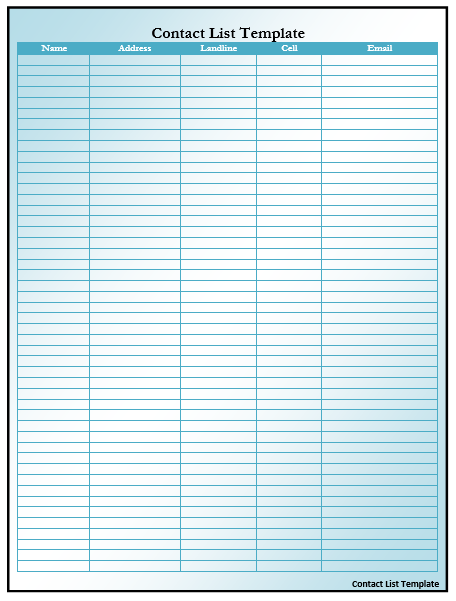
Click on this download button to simply grab this free contact list template.

Click on this download button to simply grab this free contact list template.

Click on this download button to simply grab this free contact list template.

Click on this download button to simply grab this free contact list template.

Click on this download button to simply grab this free contact list template.

Click on this download button to simply grab this free contact list template.

Click on this download button to simply grab this free contact list template.
Emergency Contact Lists
These have one job, and it’s a job done under pressure by someone who may not know where anything is. A few things make the difference:
- Two contacts per person, minimum. The first one is frequently unreachable — in a meeting, driving, abroad — and a list with a single name fails exactly when it matters.
- State the relationship. “Sam Bailey — partner” tells the caller how to open a difficult conversation. A bare name doesn’t.
- Include an alternative number for each contact where you have one.
- Keep a printed copy somewhere accessible. The most common failure is a list that exists only in a system nobody can reach during a power cut, an evacuation, or an IT outage. Print it, and keep it where whoever needs it can find it.
- Say where the copies are. Reception, the first aid box, the fire assembly point folder, the kitchen drawer.
- Add the numbers people forget — the utility emergency lines, the alarm company, the building manager, the insurer, the out-of-hours doctor.
- Review it annually, and whenever someone joins or leaves.
- Be careful with medical information. Include it only where there’s a genuine need, with the person’s agreement, and keep that sheet more tightly controlled than a general contact list.
Tell the people named as emergency contacts that they’ve been listed. It’s a courtesy, and it avoids a call from a stranger about something serious being the first they hear of it.
Looking After the Data
A list of real people’s phone numbers is personal data, and holding it comes with obligations in most countries — including under the UK and EU GDPR, and equivalent laws elsewhere. None of it is onerous, and most of it is simply good practice:
- Collect only what you need for the list’s stated purpose. This is the principle that does the most work.
- Tell people what it’s for and who will see it when you collect the details.
- Don’t circulate it more widely than necessary. Emailing a full staff list to everyone in a company, or pinning a club roster to a public noticeboard, discloses everyone’s details to people who had no reason to receive them.
- Keep it secure — password-protect the file, don’t leave printed copies on desks, and think about who can open the shared folder it sits in.
- Don’t reuse it for another purpose. Details given for a club membership list can’t be used to market something, and details given for emergencies can’t be used for general correspondence.
- Delete what you no longer need — leavers, former members, contacts from a finished project.
- Let people correct or remove their details if they ask, and respect a preference not to share a personal mobile.
One thing to be unambiguous about: never buy a list of contact details and email the people on it. Purchasing a list doesn’t transfer anyone’s consent, and unsolicited marketing email to individuals who never opted in breaches GDPR and PECR in the UK and EU, with real penalties attached. These templates are for recording people you already have a relationship with.
Keeping It Current
- Keep one master copy and one owner. Contact lists multiply into conflicting versions faster than any other document, and the one in someone’s downloads folder from last year is the one they’ll use.
- Date it visibly at the top, as in the example.
- Review it on a fixed schedule — quarterly for a workplace list, annually for a club.
- Update it at the obvious moments: someone joins, someone leaves, a number changes, a role changes.
- Remove leavers promptly rather than greying them out. A former employee’s mobile number on a circulated list is a data problem, not a convenience.
- If you keep it in a spreadsheet, sort alphabetically and freeze the header row — it makes a long list usable, and printing gets easier too.
Related list templates: reference lists for job references, task lists for work with owners and dates, and attendance sheets where you need to record who was present rather than how to reach them.
Frequently Asked Questions
What should a contact list include?
Full name, role or relationship, a phone number, an email address, brief notes on availability, and the date the list was last updated. Add a second number only where there’s a reason for it.
What should an emergency contact list include?
Two named contacts per person with the relationship stated, an alternative number for each, and the key service numbers you’d need — alarm company, building manager, utilities, out-of-hours medical. Keep a printed copy somewhere reachable.
How many emergency contacts should someone have?
At least two. The first contact is frequently unavailable at the moment they’re needed, and a single-name list fails precisely when it’s being relied on.
Is a contact list personal data?
Yes. Names, phone numbers and email addresses are personal data under the UK and EU GDPR and equivalent laws elsewhere, so collect only what you need, tell people what it’s for, keep it secure, don’t circulate it widely, and delete details you no longer need.
Can I buy a contact list for marketing?
Lists are sold, but emailing the people on one is a different matter — buying a list doesn’t transfer their consent, and unsolicited marketing to individuals who never opted in breaches GDPR and PECR in the UK and EU. These templates are for recording contacts you already have a relationship with.
How often should a contact list be updated?
Quarterly for a workplace list and annually for a club or group, plus immediately whenever someone joins, leaves, or changes number. Put the update date at the top so anyone using it knows how far to trust it.
Should a staff contact list include home addresses?
Almost never. A phone list needs a way to reach people, not where they live. Every extra field is something you have to keep accurate, keep secure, and justify holding — so leave off anything you wouldn’t actually use.

Pete Smith is a Business Management graduate and a passionate advocate for practical, accessible resources that empower professionals and entrepreneurs to succeed. With a strong foundation in organizational strategy and operational efficiency, Pete combines academic knowledge with real-world insights to simplify complex business processes. He is the creator behind a growing online platform dedicated to offering free, high-quality documents, templates, and actionable tips designed to save time and improve productivity.