A menu is the only sales document in a restaurant that every customer reads. What’s on it, where it sits on the page, and how the price is written all affect what people order and what the kitchen makes on each table. The free templates below are editable MS Word designs for cafés, restaurants, pubs and food trucks — and beneath them you’ll find how to decide what belongs on the menu, how to lay out prices, and what has to be declared by law.
Menu Engineering: Deciding What Stays
Before designing anything, work out which dishes deserve the space. Plot every item against two things you already know: how often it sells, and how much cash profit it makes — the actual money left after food cost, not the percentage.
That sorts the menu into four groups:
| High profit | Low profit | |
|---|---|---|
| Sells often |
Stars Keep, protect the quality, and give them the best position on the page. Don’t discount them. |
Workhorses Popular but thin. Reduce portion cost or nudge the price — a small rise on a dish people already want is the easiest margin you’ll find. |
| Sells rarely |
Puzzles Profitable but overlooked. Move it, rename it, describe it better, or have staff recommend it before removing it. |
Dogs Take them off. Each one costs you prep, stock, waste, and a line of menu space that could hold a star. |
Run this every few months using your own till data. Most menus carry two or three dogs that nobody has looked at in a year, and removing them usually simplifies the kitchen as well as the page.
One point people get wrong: judge by cash profit, not food cost percentage. A dish at 25% food cost that makes £4 is worth less to you than one at 35% that makes £9. You bank pounds, not percentages.
How Prices Are Presented
Three layout decisions change ordering behaviour more than any font choice:
Drop the currency symbol. Write “14” rather than “£14.00”. Currency symbols make the reader think about money rather than food, and the decimals add nothing — nobody’s menu is priced at £14.37.
Never use a right-aligned price column. This is the most common mistake on home-made menus. A neat column of prices down the right edge invites people to read down the prices and then across to the dish, so they choose by cost rather than by appetite. Put the price immediately after the description, in the same size and weight of type, so it reads as part of the sentence rather than as a figure to compare.
Avoid dot leaders. The row of dots joining a dish to its price does the same job as a price column, just more emphatically.
One more that’s worth knowing: a genuinely expensive item near the top of a section makes everything below it look reasonable. You don’t need to sell many of them for the effect to work — which is part of why most menus carry one dish that seems out of place.
Writing Dish Descriptions
Descriptions sell dishes, and specificity is what does the work. “Chicken sandwich” and “buttermilk chicken in a brioche bun with house pickles and smoked paprika mayo” are the same dish at different prices, and the second sells better at the higher one.
- Name the provenance where it’s true — the farm, the region, the supplier. “Cornish crab” beats “crab” and costs nothing to write.
- Name the preparation — slow-roasted, charred, hand-rolled, aged. Method suggests care.
- Keep it to a line. Two at most. Long descriptions slow a menu down and make it look like a leaflet.
- Don’t describe everything. If every dish gets a paragraph, none stands out. Describe the dishes you want to sell.
- Be accurate. “Homemade” and “local” have specific meanings to customers and, in some places, to trading standards.
Sample Menu Section
MAINS
— served from 12 —
Buttermilk chicken burger 14
Brioche bun, house pickles, smoked paprika mayo, skin-on fries
Charred hispi cabbage 12 VG
Almond cream, crisp shallots, chilli oil
Slow-roast lamb shoulder, for two 38
Six hours in rosemary and garlic, with roast potatoes and greens. Please allow 25 minutes.
Cornish crab linguine 19
White and brown crab, lemon, parsley, a little chilli
Mushroom and taleggio pie 15 V
All-butter pastry, buttered kale, gravy
V vegetarian · VG vegan · Allergen information available — please ask your server before ordering.
Note what’s happening. Five dishes, not twelve. No currency symbols and no price column — each price sits beside its dish. The boxed lamb shoulder is the star, positioned where the eye lands and given the only two-line description. And the expensive sharing dish makes the 14 and 15 either side of it look modest.
Free Restaurant Menu Templates in MS Word
Each template below is editable in Word. Replace the dishes and prices, adjust the colours to match your signage, and print or export as a PDF.
Classic Restaurant Menu Template

A single-page layout with sections for starters, mains and desserts, inline pricing, and space for dietary markers.

Café and Breakfast Menu Template
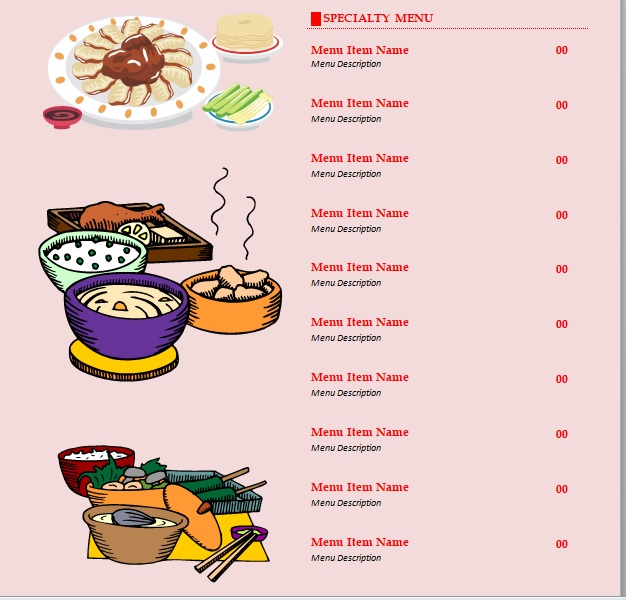
Structured for all-day service — breakfast, brunch, light lunch and drinks — with room for a daily specials panel.

Here is the download button for this Restaurant Menu Template.
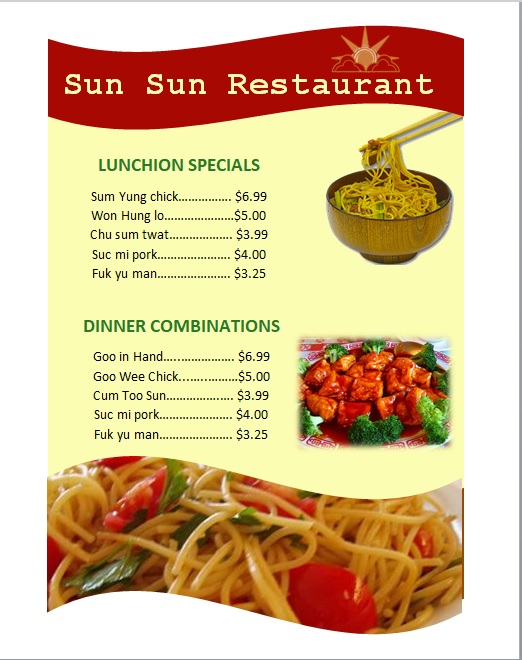
Here is the download button for this Restaurant Menu Template.

Here is the download button for this Restaurant Menu Template.

Here is the download button for this Restaurant Menu Template.
Layout and Structure
- Six or seven dishes per section. More choice doesn’t feel generous, it feels like work — and people faced with too many options default to whatever they’ve eaten before. It also simplifies your prep and cuts waste.
- Follow the order of the meal — starters, mains, sides, desserts. Don’t make a customer hunt.
- Use a box, a border, or a shaded panel sparingly. The eye goes to the boxed item, so box the dish you most want to sell. Box three and the effect disappears.
- Body text at 10–12pt minimum, and larger if your dining room is dimly lit. If your customers are holding the menu up toward a candle, the type is too small.
- Two fonts at most — one for dish names, one for descriptions. A third is what makes a menu look home-made.
- Leave white space. A crowded menu reads as cheap regardless of what’s on it.
- Mark dietary options clearly — V, VG, GF — with a key at the foot.
Allergens and Legal Requirements
The part no template can handle for you, and the part that matters most.
In the UK and EU, food businesses must be able to tell customers whether any of 14 specified allergens are present in a dish — cereals containing gluten, crustaceans, eggs, fish, peanuts, soybeans, milk, nuts, celery, mustard, sesame, sulphur dioxide, lupin and molluscs. You can provide this on the menu itself, or state clearly on the menu that the information is available and have it accurate and to hand for staff. Additional rules apply to food that is pre-packed for direct sale, which must carry a full ingredient list with allergens emphasised.
In the United States, chain restaurants above a certain number of locations face calorie labelling requirements on menus and menu boards, and state and local rules vary considerably.
Elsewhere the specifics differ, but the direction of travel is the same. Three things worth doing regardless of jurisdiction:
- Print a line on the menu telling customers to ask about allergens before ordering — as in the sample above.
- Keep an accurate allergen matrix in the kitchen, updated whenever a recipe or supplier changes. The menu points to it; the matrix is what actually protects someone.
- Brief your staff. “I think it’s fine” is the answer that causes harm. Staff should know where the matrix is and that checking is always the right response.
Also check what your local rules require on price display — many jurisdictions require prices to be visible before ordering, including any service charge or cover charge, and to include tax where that’s the convention.
None of this is legal advice, and requirements change. Check with your local authority or food safety regulator before printing.
Printing and Updating
- Print in-house if you change prices often. A menu you can reprint on a Tuesday is worth more than a beautiful one you’re stuck with for a year while costs move.
- Laminate or use menu covers for anything handled by customers. An unlaminated paper menu looks tired within a fortnight.
- Use heavier stock — 250 gsm or more — for single-sheet menus.
- Keep specials separate on a clip-in insert or a board, so the main menu doesn’t need reprinting when the fish changes.
- Check it under your own lighting before committing to a print run. A menu that reads perfectly at a desk can be unreadable at a candlelit table.
- Publish a PDF or text version online, and keep it current — an out-of-date menu on your website causes more complaints than most restaurants realise. Plain text is better than an image for accessibility and for search.
- Date your master file so you know which version is current when you come to revise it.
Planning what goes on the menu week by week? Our menu planner templates cover the planning side, inventory lists handle stock and reorder levels, and checklists suit opening and closing routines.
Frequently Asked Questions
How do I make a restaurant menu in Word?
Start from a template above, or set up a page with section headings, dish names in bold, descriptions beneath in a lighter weight, and prices inline after each description. Keep to two fonts, six or seven dishes per section, and body text at 10pt or larger.
What is menu engineering?
Sorting dishes by how often they sell and how much cash profit they make, then acting on the result: promote the popular and profitable, reprice or re-cost the popular but thin, reposition the profitable but overlooked, and remove the rest.
Should I put currency symbols on my menu?
Generally no. Writing “14” rather than “£14.00” keeps attention on the food rather than the cost, and the decimals add nothing useful.
Why shouldn’t prices be in a column?
Because a column invites customers to scan down the prices and choose by cost rather than by appetite. Placing the price directly after the description, in the same type, keeps it part of the dish rather than a figure to compare.
How many dishes should be on a menu?
Six or seven per section is a good working limit. Fewer choices are easier for customers, simpler for the kitchen, and produce less waste — and long menus push people toward whatever they already know.
What font size should a menu be?
10 to 12pt minimum for descriptions, larger for dish names and section headings, and larger still if your dining room is dimly lit. Always check a printed copy under your own lighting before printing a batch.
Do I have to list allergens on my menu?
In the UK and EU you must be able to tell customers about 14 specified allergens, either on the menu or by clearly signposting that the information is available and keeping it accurate. Other countries have their own rules, including calorie labelling for larger US chains. Check your local requirements before printing.

Pete Smith is a Business Management graduate and a passionate advocate for practical, accessible resources that empower professionals and entrepreneurs to succeed. With a strong foundation in organizational strategy and operational efficiency, Pete combines academic knowledge with real-world insights to simplify complex business processes. He is the creator behind a growing online platform dedicated to offering free, high-quality documents, templates, and actionable tips designed to save time and improve productivity.