A shopping list is the cheapest budgeting tool there is: writing down what you intend to buy before you leave the house is the single most reliable way to come home with what you needed and not much else. The templates on this page cover the shopping that isn’t food — gift and holiday lists with budget columns, party supplies, back-to-school, baby essentials, and moving-in lists. For weekly food shopping, see our grocery list templates, which has 50+ designs organized by aisle and category.
A Gift Shopping List That Actually Helps
Gift shopping is where a list earns its keep, because the failure isn’t forgetting someone — it’s losing track of what you’ve spent until the statement arrives in January. A useful gift list has five columns:
| Person | Gift idea | Budget | Spent | Status |
|---|---|---|---|---|
| Mum | Gardening gloves + seed set | 40 | 36 | Wrapped |
| Sara (niece) | Art supplies box | 25 | 31 | Bought |
| Omar | Coffee grinder | 60 | — | Not yet |
| Office secret santa | Desk plant | 15 | 15 | Bought |
| Total | 140 | 82 | 2 of 4 done | |
The two columns people leave off are the ones that matter: a budget per person set before you start, and a running total. Gift spending goes wrong one reasonable purchase at a time — the total column is what makes the drift visible while you can still do something about it.
Free Shopping List Templates in MS Word
Each template below is editable in Word — add or remove columns, rename the categories to suit the trip, and print as many copies as you need.
Here is the download link for this Shopping List Template 01 in MS Word format inside a ZIP file.


If you like this Shopping List Template 02 then you can download it from the link below,

Please click on the download button below to start downloading this Shopping List Template 03 in MS Word,

Here is the download link for this Shopping List Template 04 in MS Word format,
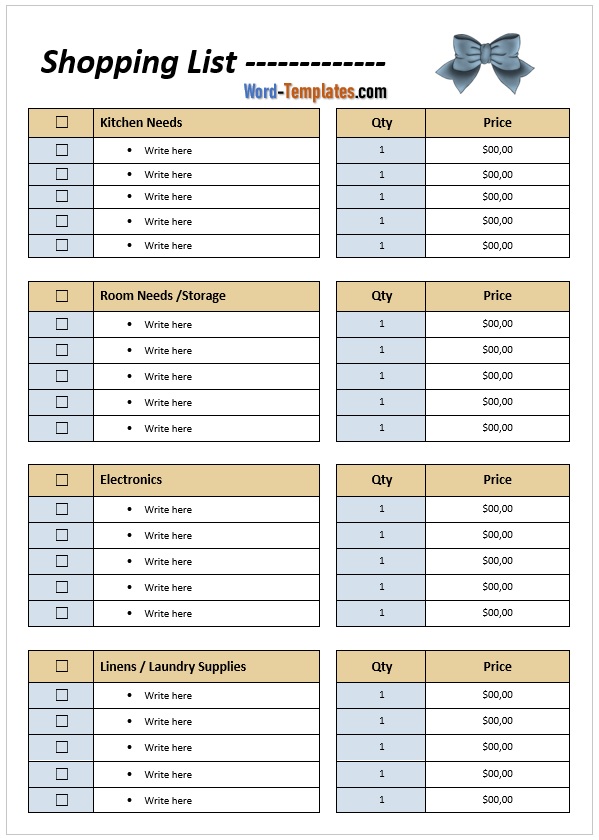
Download link for this Shopping List Template 05 in MS Word format is here,

You can easily grab this shopping list template from the download button given below.

Click on the following download button to get it for free.
Shopping Lists by Occasion
Gift and holiday shopping. Use the five-column format above, set the per-person budget before you look at a single shop, and start the list in November rather than December — the same gift bought unhurriedly is almost always cheaper. Keep the list from year to year: what you gave last time is the hardest thing to remember and the easiest thing to write down.
Party and event shopping. Split the list into food and drink, disposables and serveware, decorations, and equipment to borrow or hire. Add a “who’s bringing it” column if guests are contributing — that column prevents the classic outcome of four bags of ice and no serving spoons. Pair it with an event planner for the timing side.
Back-to-school supplies. Work from the school’s issued list, add a “have at home” check column, and go through the cupboard before shopping — most households buy scissors and glue sticks they already own. If you’re buying for more than one child, a column per child on one sheet beats separate lists.
Baby and newborn essentials. Group by phase — hospital bag, first month, three months on — because buying everything at once is how you end up with a drawer of unworn newborn clothes. A “gifted / bought / still needed” status column is genuinely useful here, since much of it arrives from other people.
Moving in and new home. Organize room by room, and separate “first night” items (bedding, towels, kettle, toilet paper, phone chargers) from everything else. That single split is what stops the first evening in a new home being a trip back out to a shop.
How to Organize a Shopping List
- Group by section, not by when you thought of it. A list ordered the way the store is laid out means one pass through the shop instead of three.
- Check what you already have first. The five minutes spent looking in the cupboard is the cheapest part of any shopping trip.
- Add a price column for anything you’re comparing — worth it for larger items, unnecessary for everyday ones.
- Write quantities. “Batteries” becomes an argument with yourself in the aisle; “4 × AA batteries” doesn’t.
- Keep a running list somewhere fixed — on the fridge, in a drawer — so items get added when you notice they’re low rather than remembered under pressure.
- Shop from the list. Obvious, and still the whole point: buying from a written list is one of the simplest ways to cut impulse spending, which is why it pairs well with a monthly budget.
Frequently Asked Questions
What is the difference between a shopping list and a grocery list?
A grocery list covers food and household consumables for regular food shopping. A shopping list is broader — gifts, clothing, school supplies, party items, furniture, anything you set out to buy. For weekly food shopping, our grocery list templates are organized by aisle; the templates here handle everything else.
How do I make a shopping list in Microsoft Word?
Start from a template above, or build one with a simple table: item, quantity, estimated price, and a checkbox column. Add section headings for categories, and save a blank master copy so each trip starts from a clean sheet.
What should a gift shopping list include?
The recipient, the gift idea, a budget set per person before you start, what you actually spent, and a status column (not yet, bought, wrapped). The running total is the column that keeps holiday spending honest.
Does shopping with a list actually save money?
It’s one of the most consistently effective habits there is, for a simple reason: most overspending is unplanned rather than extravagant. A written list turns each extra item into a small deliberate decision instead of an automatic one.
Should I use a paper list or an app?
Whichever you’ll actually use. Paper is faster to add to, works with no battery, and can be handed to someone else mid-trip; apps sync between people and remember past lists. Printed templates suit shared household lists and any trip where you want a budget column you’ll write in by hand.

Pete Smith is a Business Management graduate and a passionate advocate for practical, accessible resources that empower professionals and entrepreneurs to succeed. With a strong foundation in organizational strategy and operational efficiency, Pete combines academic knowledge with real-world insights to simplify complex business processes. He is the creator behind a growing online platform dedicated to offering free, high-quality documents, templates, and actionable tips designed to save time and improve productivity.